
How to Optimize Your Google Business Profile for Local Search

An incomplete, outdated, or poorly maintained Google Business Profile can quietly cost a business local visibility. The profile may still exist, but it may not give customers enough confidence, context, or current information to take the next step.
Creating the profile is only the starting point. To make it useful for local search, treat it as an active local marketing asset. That means keeping business details accurate, adding useful content, using relevant photos and videos, engaging with reviews, answering customer questions, and watching performance over time.
Good Google Business Profile optimization is not a one-time cleanup. It is a repeatable process that helps local customers discover, evaluate, contact, and choose the business with less friction.
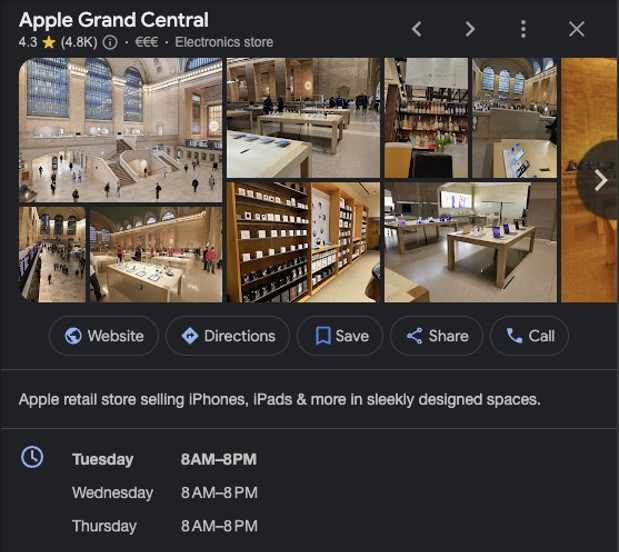
Start With A Profile Audit
Before changing anything, review the existing profile as if you were a customer seeing it for the first time.
Search for the business name on Google and check how the profile appears in Search and Maps. Look for gaps, outdated details, confusing wording, missing sections, old photos, weak service information, or unanswered reviews.
A simple audit should cover:
Business name
Make sure it matches the real-world business name customers know.
Address Or Service Area
Confirm that the address, service area, or delivery area reflects how the business actually serves customers.
Phone Number And Website
Check that calls and links go to the right place.
Business Hours
Review regular hours, holiday hours, and special closures.
Categories
Make sure the primary category reflects the main business activity.
Description
Read it for clarity, accuracy, and usefulness.
Products And Services
Confirm that current offerings are listed and easy to understand.
Photos And Videos
Remove anything outdated and identify where you need better visuals.
Reviews And Questions
Look for unanswered customer interactions.
This audit gives you a working list. Start with anything that could mislead customers, such as wrong hours, incorrect contact details, or services that are no longer offered.
Complete The Core Business Information
Accurate business information is the foundation of a strong Google Business Profile. If the basics are wrong or incomplete, every other improvement has less impact.
Start by verifying the profile if you haven't already. Verification confirms that the rightful owner or team can manage the business information.
Then review the core fields carefully:
Business name
Address or service area
Phone number
Website
Business hours
Holiday or special hours
Appointment links, booking links, or menu links when relevant
Accessibility, amenities, and other applicable attributes
Be precise. A local service business should clearly show where it works. A retailer should make store hours easy to trust. A restaurant, salon, repair shop, or professional service should make it simple for someone to call, visit, book, or learn more.
This matters because local customers often decide quickly. If they see conflicting hours, missing details, or vague service information, they may move on to another business that gives them clearer answers.
Choose Categories That Match The Business
Categories help Google understand what the business is and when the profile may be relevant to a local search. The primary category carries special weight because it describes the business's main function.
Choose the category that best fits what the business primarily does. Do not select a broad category just because it sounds bigger. A specific, accurate category is usually more useful than a general one that does not match customer intent.
For example, a business that repairs garage doors should choose a category that reflects garage door repair if available, rather than a broad home services category. A boutique that sells children’s clothing should avoid categories that suggest it sells every kind of apparel if that is not true.
Secondary categories can support other real parts of the business. Use them when they accurately describe meaningful services or departments, not every possible keyword related to the business.
The goal is simple: help Google and customers understand the business clearly.
Strengthen Descriptions, Products, And Services
The business description should explain what the business does, who it serves, and what makes it useful, without sounding stuffed with search terms.
Write in plain language. Include the main services, relevant specialties, and service area if it makes sense. Avoid promotional claims that are hard to prove. Customers want clarity more than slogans.
A strong description answers questions like:
What does the business offer?
Who is it for?
Where does it serve customers?
What should a customer expect?
What makes the business a practical choice?
Products and services deserve the same care. Many profiles list only a few broad offerings, or none at all. That leaves customers guessing.
For a local service business, add core services with short, helpful explanations. For a retailer, add important product categories or featured items. For a business with seasonal offerings, update this section as things change.
This is where local SEO, Google Maps business listing management, and local business marketing overlap. The profile should not only be findable. It should help people decide whether the business is the right fit.
Add Photos, Videos, And Useful Updates
Visuals help customers understand the business before they visit, call, or book. Photos and videos make a profile feel current and credible when they show real parts of the customer experience.
Useful visuals may include:
Exterior photos that help people recognize the location
Interior photos that show the space
Product photos
Service photos
Team or work-in-progress photos, when appropriate
Before-and-after photos, if they are accurate and allowed for the business type
Short videos that show the environment, process, or finished work
Keep visuals current. Old photos can create confusion, especially if the location, layout, products, uniforms, vehicles, or service process has changed.
Google Posts are another useful way to keep the profile active. Use them for timely updates, offers, events, new services, seasonal reminders, or helpful customer information. A post does not need to be long. It should be clear, relevant, and useful.
For example, a home services company might post a seasonal maintenance reminder. A retailer might highlight a new product line. A restaurant might share updated hours or a featured menu item.
The point is not to post for the sake of posting. The goal is to keep the profile helpful and up to date.
Manage Reviews And Customer Interactions
Reviews are one of the most visible parts of a Google Business Profile. They help customers evaluate the business and give the business a chance to show how it communicates.
Build a simple review process. Ask satisfied customers to leave honest feedback, and make the request part of the normal customer experience. Do not pressure customers or offer rewards for positive reviews.
Respond to reviews regularly. Keep responses brief, professional, and specific when possible.
For positive reviews:
Thank the customer
Refer to the service or experience if appropriate
Keep it natural
For negative reviews:
Stay calm
Acknowledge the concern
Avoid arguing in public
Invite the customer to continue the conversation through a direct channel when needed
Customer questions also need attention. If people ask about parking, appointments, service areas, availability, or product details, answer clearly. Those questions often reflect what other customers are wondering too.
A profile that shows recent reviews, thoughtful responses, and answered questions feels maintained. That can make a real difference when someone is comparing options.
Monitor Performance And Improve Over Time
Once the profile is complete and active, review performance regularly. Look at the actions people take from the profile, such as calls, website visits, direction requests, bookings, messages, or other available interactions.
The goal is to spot weak areas and make practical adjustments.
If people view the profile but rarely contact the business, review the service information, photos, contact details, and calls to action. If customers often ask the same question, add that information to the profile where it is easier to find. If seasonal services matter, update the profile before demand changes.
Set a simple maintenance rhythm:
Review business details monthly
Add or refresh photos regularly
Respond to reviews and questions promptly
Publish useful updates when something changes
Review performance data and adjust weak sections
For businesses that want a more structured way to manage this process, the Google Business Profile Growth Toolkit provides a guide, workbook, checklist, prompt pack, and ebook to help turn these steps into a repeatable workflow.
The main takeaway is straightforward. A complete profile is better than an empty one, but an actively managed profile is better than a static one. Keep the information accurate, make the content useful, engage with customers, and review performance often. That steady work makes it easier for local customers to find, understand, and choose the business.


